Deltaprints Blog
Meet the Deltaprints Pet Bowl Generator
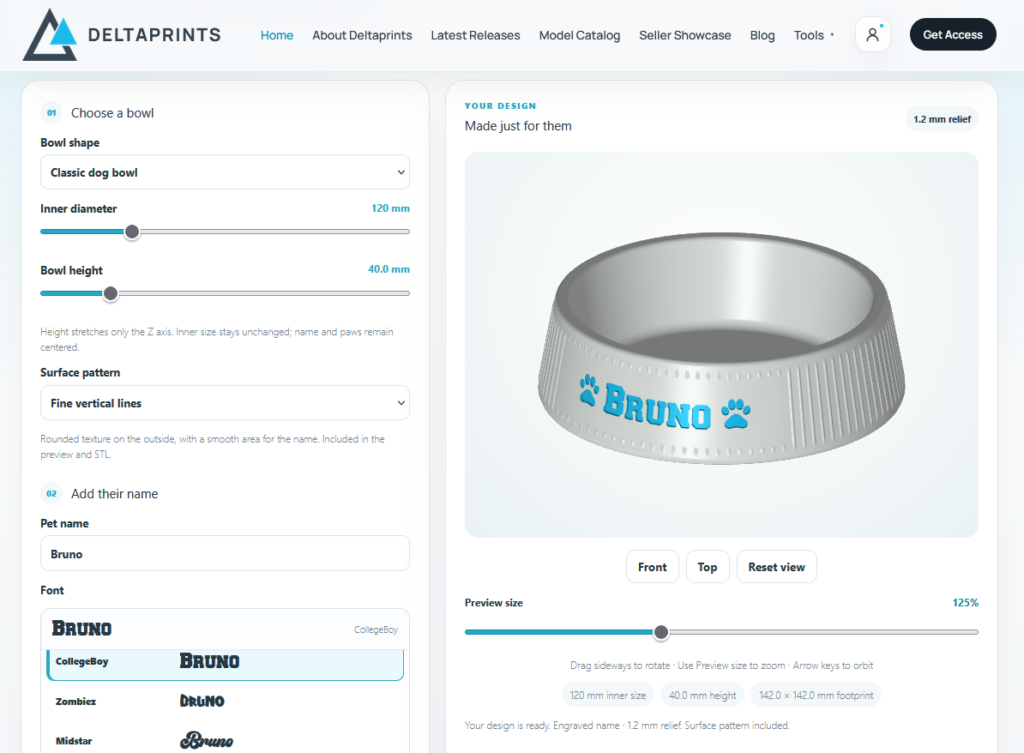
A name, a pair of paws and a surface pattern can give a simple pet bowl its own personality. The new Deltaprints Pet Bowl Generator lets you bring those details together in your browser and create a personalized STL for your next 3D printing project.
Build your bowl
Start by choosing a bowl shape and adjusting its inner size and height. Add your pet’s name, select a font and choose between engraved lettering and a raised relief. You can adjust the text size, while longer names automatically shrink to fit the available space.
Add dog or cat paws before the name, after it or on both sides — or keep the design clean without them. For more customization, upload your own font or paw artwork in PNG or SVG format.
Choose your surface style
Keep the outside smooth or select one of six textures: rounded vertical ribs, soft honeycomb, rounded diamonds, bubbles, golf ball style dots or fine vertical lines. The patterns leave a smooth area around the name so the personalization stays clear.
Preview and export
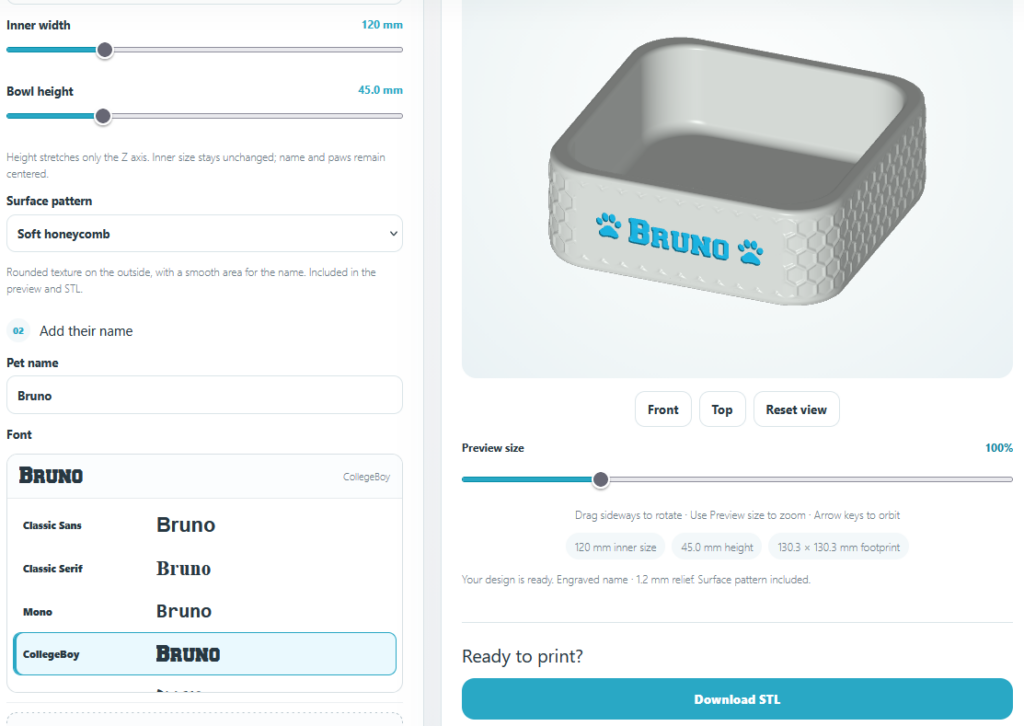
The interactive 3D preview lets you rotate and zoom in on your bowl before exporting it. Your lettering, paws and surface pattern are included in the STL geometry, ready to open in your slicer.
The designer is free to explore. An active Deltaprints All-Access membership unlocks STL downloads.
Latest Releases